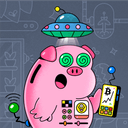
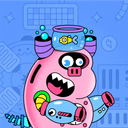
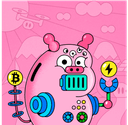
Piggy is a Bitcoin wallet shaped like a creature. You install the app, set up a wallet only you can access, and pick a Piggy to live inside it. You feed the Piggy bitcoin, it reacts and grows, and if you ever empty it, the creature is gone for good.
This is the step-by-step.
Step 1: Install and create a passkey
Download the app for iOS or Android. When you open it, Piggy asks you to create a passkey.
A passkey is what your phone already uses when you log in with Face ID or Touch ID. It is a cryptographic key your phone holds and syncs through Apple iCloud Keychain or Google Password Manager. You do not type a password. You do not write down twelve words on a piece of paper. You confirm with your face or your fingerprint, and the wallet exists.
From that passkey, Piggy derives the private keys that control your bitcoin on the network. Those keys live on your device. We never see them, we never store them, and we could not access your bitcoin even if we were ordered to by a court.
If you want a second backup for your bitcoin, you can export a 12-word recovery phrase, from Security (the shield on the home screen) on iPhone or from Settings on Android. It is a choice, not a requirement, and one phrase covers every Piggy you will ever have: each new Piggy after a kill uses the next account number under it, starting from 0. On iPhone, Security also keeps an emergency exit file for the one case a seed phrase cannot cover alone: Spark, the layer your bitcoin lives on, going dark. The support page explains both.
Step 2: Pick your Piggy
At this point you have a working Bitcoin wallet that nobody else can touch. To give it a name, a face, and a voice, you adopt a Piggy, a one-time in-app purchase. The base wallet stays free forever if you skip it. Adopting adds the parts that make the wallet feel alive.
When you adopt, you pick:
- A name. This becomes your Piggy address, like
oink@pig.gy. It is permanent. No rename later. - A skin — the combination of body, ears, eyes, hands, and whatever your Piggy is carrying. Generated from a trait pool and locked in.
- A personality, also generated from a trait pool and locked in. Your Piggy reacts in its own specific way to feeding, time, and messages.
Once you confirm, your Piggy is born. Name, skin, personality, and public profile are fixed forever. No rename. No reroll.
Step 3: Feed it
Your Piggy address is live the moment it is born. You can send bitcoin to it from almost any bitcoin wallet on earth.
The address looks like an email, like oink@pig.gy. It is a standard Lightning address, so any bitcoin wallet that supports Lightning can send to it. Most do. Payments arrive in seconds and cost a fraction of a cent in fees. The process is identical whether you send a small amount or a large one.
If you do not have any bitcoin yet, claim ₿21 free from the daily faucet, a couple of cents to start with. Enter your Piggy address, hit claim, and it arrives in seconds. That is the whole flow.
When you want to feed your Piggy more later, you have a few options, and all of them work on the free tier:
- Piggy address. The default. Send bitcoin from almost any bitcoin wallet to your
@pig.gyaddress. Fastest, cheapest, no conversion. - Apple Pay or Google Pay (US, 18+). Buy bitcoin inside the app and it lands straight in your Piggy. Coinbase handles the purchase. The first time, you verify your email and a US phone number.
- Friends and family. Share your Piggy's page, like
pig.gy/oink. Anyone can feed it from there, and adults on an iPhone in the US can pay with Apple Pay without installing anything. Under 18, or no bitcoin yet? This is the easy way in. - Onchain bitcoin. Send regular bitcoin from any exchange or wallet, at least ₿5,000 (0.00005 BTC) at a time.
- Stablecoins. Send USDC or similar stablecoins. They get converted to bitcoin on the way in.
- Other crypto. The Android app also takes popular cryptocurrencies like ETH, SOL, and similar. They get converted to bitcoin on the way in too.
Piggy itself only holds bitcoin. Everything else gets swapped to bitcoin the moment it lands. Each feed wakes the Piggy up. It reacts based on your feeding patterns, the time of day, and its personality.
Step 4: Let it live
Piggy is meant for repeated feeds over time, not a single big buy. You feed it on payday. You feed it from a birthday card. You feed it when you remember.
If your Piggy has a public profile, other people can find it at pig.gy/piggyname, send bitcoin, and leave messages. Messages appear on the profile after passing through an AI moderation filter that drops the obvious junk.
The longer you have a Piggy, the more it behaves like the same specific creature you have been feeding. That continuity is what turns saving from "a thing you meant to do" into "a creature you have been raising for two years."
Step 5: Getting your bitcoin out
There is no send button. You cannot move a little bitcoin to another wallet, pay for something, or borrow from your Piggy. The only way to get your bitcoin back is to kill it.
Killing sends your whole balance to a Bitcoin address you choose. The network fee comes out of it, and the rest lands at that address. Then the Piggy is gone. The name, the skin, the personality, the public profile, the Piggy address, the message history, all retired forever. The Piggy address cannot be reused, even by you. You can start a new Piggy, but it will be a different Piggy. The one you had is gone.
It is all or nothing, on purpose. If you need a tenth of what is in there, you kill the Piggy, receive all of it, and start a new Piggy with whatever you do not spend. A normal wallet has no friction around emptying itself. Your savings and your spending money sit in the same place behind the same send button, the label between them is a mental one, and mental labels do not hold at 11pm when you really want the thing. Piggy does not put a cost on the small send. It removes the small send.
A few practical details:
- Where it goes. A regular Bitcoin address, the long kind that usually starts with bc1. Paste it or scan it, type "Kill" and your Piggy's name to prove you mean it, then hold to confirm. It happens right away. There is no waiting period and no undo after the hold.
- What it costs. Just the network fee, taken out of the balance. There is a floor, though: the balance has to cover the fee, and on iPhone at least ₿1,000 (about a dollar) has to arrive after it. A Piggy below that has to be fed a bit more before it can be killed. The faucet's ₿21 on its own will not cover it.
- Free Piggy too. The rule is the same if you never adopted. The wallet empties all at once, its random address retires, and you start over fresh.
- It will beg. That is part of the design.
If you want money you can dip into, Piggy is the wrong place for that money. Keep spending money in a regular wallet and feed Piggy only what you intend to leave alone.